Update History
February 16th, 2018 Updated Contents
- Updated the System Requirements.
-
・[RPG Maker MV]→[About RPG Maker MV]→[System Requirements]
June 8th, 2017 Updated Contents
- Added “Edit as Text” option to the Plugin Manager context menu.
-
・[RPG Maker MV]→[How to Use Aid Tools]
- Added several search options for all context menus: “Search”, “Search Next”, and “Search Previous”.
-
・[RPG Maker MV]→[Basic Editor Controls]
- Added the “Community_Basic” plugin.
-
・Documentation[Using Official Plugins]
March 21st, 2017 Updated Contents
- It is now possible to use RPG Maker MV Tools in conjunction with RPG Maker MV.
-
・[RPG Maker MV]→[The Menu Bar]
・[RPG Maker MV]→[How to Use Aid Tools]
- Added tutorials (beta).
-
・[RPG Maker MV]→[The Menu Bar]
・[RPG Maker MV]→[How to Use Aid Tools]
- RPG Maker MV is now available for Linux.
-
・[RPG Maker MV]→[About RPG Maker MV]→[System Requirements]
・Documentation[Deployment]
・Documentation[RPG Maker MV for Linux]
・Documentation[RPG Maker MV for Linux]→[Graphics Driver Installation]
・Documentation[RPG Maker MV for Linux]→[Running Games]
November 24th, 2016 Updated Contents
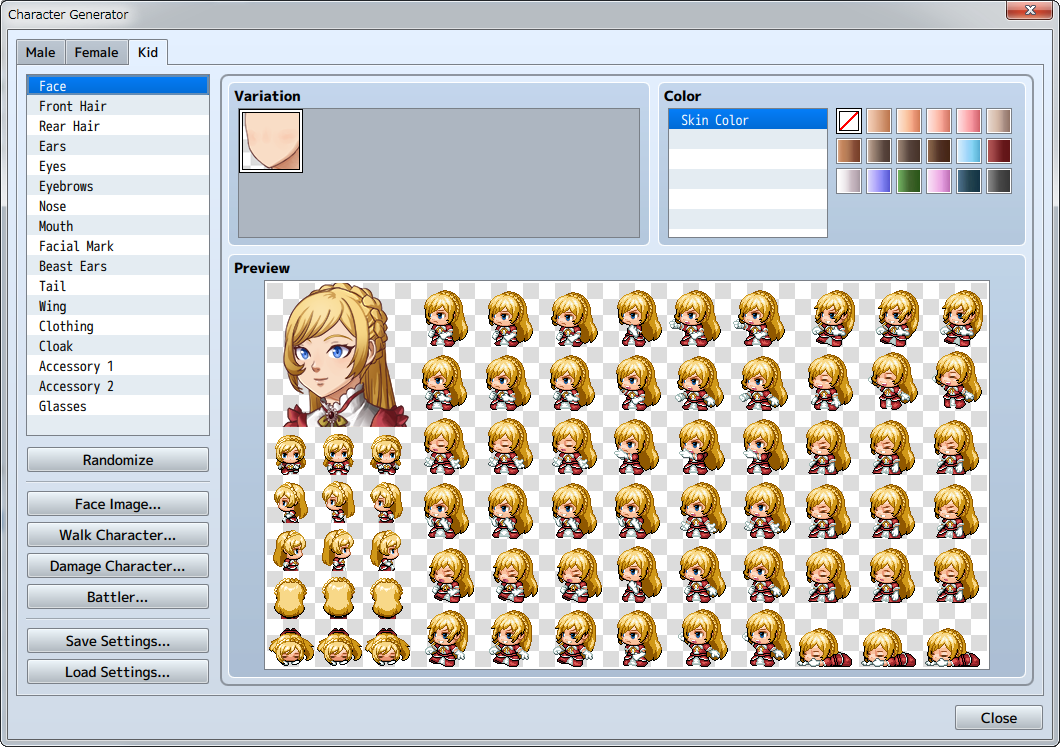
- Added an option to generate child characters in the Character Generator.
-
・[How to use Aid Tools]→[Character Generator]
August 4th, 2016 Updated Contents
- You now have the option to use encryption for deployment.
-
・Documentation[Output Formats]
- Added an Object Selector option.
- [How to Use Aid Tools]→[Options]
- Added options to “Copy as Text” and “Copy as HTML tags” to the context menu of the Contents section on the Event Page.
- Events [Map Event Settings]→[Editing Contents]→[Controls via the Context Menu]
April 21th, 2016 Updated Contents
- You can now handle files in batches with the Resource Manager tool.
A [DLC] button has been added to the Resource Manager. (For Steam versions only)
- [How to Use Aid Tools]→[Resource Manager]
- Added a counterclockwise rotation function to the event command [Rotate Picture].
- ・Event Commands[Picture]→[Rotate Picture]
- Added [Options] to [Tools].
- [How to Use Aid Tools]→[Options]
- Added an editor DPI scaling function to the Windows version.
- The UI display in the editor is automatically adjusted when you change the DPI settings in Windows.
- Added a scroll wheel zoom in/zoom out function for the map.
-
(For Windows users) Ctrl + Scroll Wheel
(For Mac users) Command + Scroll Wheel
- Added [Refresh] to the Plugin Manager.
- Documentation →[Enabling Plugins]→[Refreshing Plugins]
- Fixed a bug in the looping for part of the music data.
- The [Passage] indicator for Tileset [B] on the upper-left of the tile has been fixed to ☆.
- Added and updated plugins.
March 1st, 2016 Updated Contents
- Set the multiplying factor.
-
・Database
[Animation Settings]
・Event Commands
[Movement]→[Set Movement Route]
[Picture]→[Show Picture][Move Picture]
- You can now access Plugin Help from the right-click menu.
-
・Database
[Actor Settings][Class Settings][Skill Settings][Item Settings][Weapon/Armor Settings]
[Enemy Settings][State Settings][Tileset Settings]
・Event Commands
[Messages]→[Show Text][Show Scrolling Text]
[Flow Control]→[Conditional Branch][Comment]
[Advanced]→[Script][Plugin Command]
- When you change class, you are now able to keep the same level as before the change.
-
Event Commands[Actor]→[Change Class]
- You can now access IconSet Viewer from the right-click menu.
-
・Event Commands
[Messages]→[Show Text][Show Scrolling Text]
[Advanced]→[Script][Plugin Command]
・[How to Use Aid Tools]→[Plugin Manager]
- Added Resource Manager.
-
・[How to Use Aid Tools]→[Resource Manager]
- Added [Web Browsers] to the deployment platform.
Added [Exclude unused files] function under Options in the Deployment window.
-
・Documentation [Output Formats]
- Added TouchUI Plugin, Gacha Plugin, SlotMachine Plugin.
-
・Documentation
[Using Official Plugin]→[TouchUI]
[Using Official Plugin]→[Gacha / GachaBook]
[Using Official Plugin]→[SlotMachine]
- Set the multiplying factor.
- You can now display multiple frames at the same time in the Frame View.
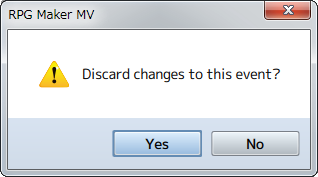
- Added confirmation dialog when quit editing.
- If you click the Cancel or X button while editing Event/Database/Plugin Manager data, a confirmation dialog will be displayed.
※*If you click [Yes], the window will close and the changes made will not be saved.
- Added Home/End Key functions.
- While editing the event page, you are now able to jump to the top/bottom of the content by using Home/End Key.
- Reduced audio and graphic file size.
- Added new elements to the Character Generator.